


- Compare the best and most affordable nbn® modems in Australia for 2026
- Key features to consider include compatibility, Wi-Fi range, speed, and ease of setup.
- Find the perfect budget modem for your nbn® connection with tips for troubleshooting and optimal performance.
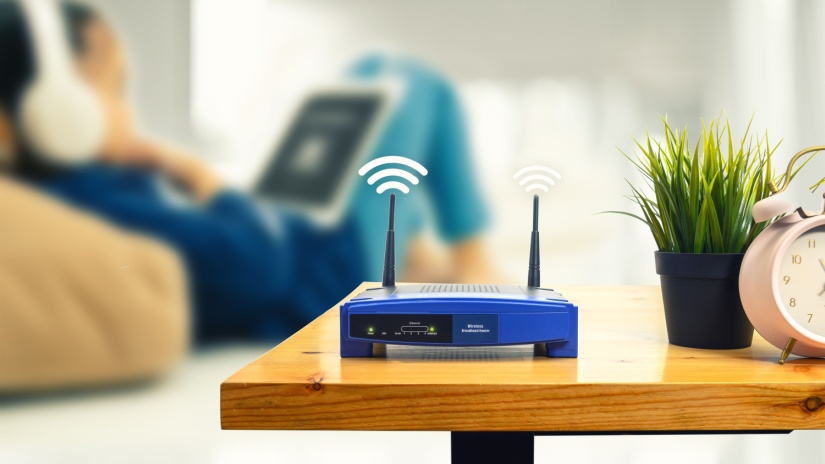
| Quick AI Answer Last updated: 15 June 2026 What is the best cheap nbn® modem in Australia? The TP-Link Archer VR400 is the best budget pick for FTTN connections. For FTTP, HFC or FTTC, any router with a Gigabit Ethernet WAN port works. The TP-Link Archer AX10 is the best budget Wi-Fi 6 option for those connection types. Look for dual-band Wi-Fi 6, at least four Gigabit ethernet ports and compatibility with your nbn® connection type before buying. |
Choosing to buy nbn® modem Australia yourself costs less over time than locking into a commitment plan to get one free. Most nbn® providers support BYO at no extra cost.
If you'd rather get a modem included with your plan, see our free modem guide. The best value nbn® modem Australia may be cheaper in cost than you think. Otherwise, a good Wi-Fi 6 modem-router start relatively cheaply. Here's what to buy.
Best budget nbn® modems by connection type
The right modem depends on your nbn® connection type. When asking what modem do I need for nbn®? Well, FTTN and FTTB connections require a VDSL2-compatible modem-router (it has a DSL port for the phone line). This answers the question: can I use any modem for nbn®?
FTTP, HFC and FTTC connections only need a router with a Gigabit Ethernet WAN port. The nbn® connection device installed at your home handles the modem function.
Best modems for FTTN and FTTB
| Model | Max speed | Wi-Fi | Best for |
|---|---|---|---|
| TP-Link Archer VR400 | 100 Mbps | Wi-Fi 5 AC1200 | Small households, nbn® plans 25 or 50 |
| TP-Link Archer VR600 | 300 Mbps | Wi-Fi 5 AC1600 | Medium homes, nbn® plans 50 or 100 |
| TP-Link Archer VR900 | 1 Gbps (wired) | Wi-Fi 5 AC1900 | Larger home, nbn® 100+ |
Best routers for FTTP, HFC and FTTC
| Model | Wi-Fi | Ports | Best for |
|---|---|---|---|
| TP-Link Archer AX10 | Wi-Fi 6 AX1500 | 4x Gigabit LAN + WAN | Budget Wi-Fi 6 entry |
| TP-Link Archer AX55 | Wi-Fi 6 AX3000 | 4x Gigabit LAN + WAN | Medium to large homes |
| Netgear Nighthawk AX4 | Wi-Fi 6 AX3000 | 4x Gigabit LAN + WAN | Performance, gaming |
For fibre to the premises FTTP connections on nbn® 500 or nbn® 1000, look for a router with a 2.5G WAN port. This helps to avoid bottlenecking your connection at the router. You deserve fast home internet within the nbn® network at the right speed tier. Your internet connection on any of the nbn® speed tiers will be better with compatible modems working alongside you.
Key features to look for
Connection type compatibility
Your modem must match your nbn® connection type. FTTN and FTTB need a VDSL2 DSL port. FTTP, HFC, FTTC and Fixed Wireless need an Ethernet WAN port only. Check the nbn® Co website or ask your provider if you're unsure which connection type is at your address.
Wi-Fi 6 vs Wi-Fi 5
Wi-Fi 6 handles more simultaneous devices with less congestion. In houses with five or more devices online, a Wi-Fi 6 router performs noticeably better than Wi-Fi 5.
Budget Wi-Fi 6 routers start low, so there's little reason to buy Wi-Fi 5 for a new setup.
| Feature | Wi-Fi 5 (802.11c) | Wi-Fi 6 (802.11ax) |
|---|---|---|
| Theoretical max throughput | 3.5 Gbps | 9.6 Gbps |
| Frequency bands | 2.4 GHz + 5 GHz | 2.4 GHz + 5 GHz |
| Multi-device technology | MU-MIMO (4 streams) | OFDMA + MU-MIMO (8 streams) |
| Real-world speed on nbn® 100 (good placement) | 60-80 Mbps | 90-100 Mbps |
| Performance under load (5+ active devices) | Degrades noticeably | Maintains performance |
| Backward compatible with older devices | N/A | Yes |
Dual-band vs tri-band
Dual-band routers broadcast on 2.4GHz and 5GHz. The 2.4GHz band covers more area but is slower; 5GHz is faster with less range. Tri-band routers add a second 5GHz band, which helps when multiple users are all streaming or gaming simultaneously. For most households, dual-band is sufficient.
Ethernet ports
Four Gigabit LAN ports cover most households with wired devices. If you run a smart TV, gaming console, desktop and NAS on ethernet, four ports should be enough.
Setting up your new modem
Most BYO modems require some basic configuration before they work with nbn®. See our full nbn® modem setup guide for step-by-step instructions by connection type. In short:
- Plug the modem into your nbn® connection point using the correct cable. FTTN/FTTB uses a phone line. FTTP/HFC/FTTC uses an ethernet cable from the nbn® device.
- Power on the modem and wait 5 to 10 minutes for it to connect.
- Log in to the admin panel (usually 192.168.1.1) and enter your ISP username and password if prompted. Your provider includes these in your welcome email.
- Connect devices via the Wi-Fi name and password printed on the modem.
Common troubleshooting fixes
Connected but no internet
Check the cable between your modem and the nbn® connection device is secure. Restart both devices. Wait two minutes between powering off and back on. If the issue persists, contact your provider.
Slow Wi-Fi despite good nbn® speeds
Run a speed test via ethernet first. If wired speeds are fine but Wi-Fi is slow, move the modem to a more central location, away from microwaves and baby monitors. Switch devices to the 5GHz band where possible.
Extending your Wi-Fi signal
In larger or multi-storey homes, a single modem won't cover every room. Even the best nbn® modem will struggle with obstacles in the way. Options include:
- Wi-Fi extenders: Cheap but can halve speeds because they repeat the signal on the same frequency.
- Mesh systems: Two or three units that work together as one network. Better performance than extenders. The eero 6+ (available from Aussie Broadband and More Telecom) is a strong mid-range mesh option.
- Powerline adapters: Send internet over your home's electrical wiring. Useful when running ethernet cable isn't practical.
Ready to compare nbn® plans with BYO modem support? Most providers on Compare Broadband offer BYO options. Use our nbn® plan comparison tool.
Frequently asked questions
Can I use any nbn® modem router?
Not exactly. FTTN and FTTB need a VDSL2-compatible modem-router.
FTTP, HFC and FTTC work with most routers. Some provider modems are locked to their network. Check your connection type and modem compatibility before purchasing.
Do I need a modem for nbn® FTTP?
You don't need a modem for FTTP because the nbn® NTD handles that function. You do need a router to distribute the connection over Wi-Fi. Any router with a Gigabit Ethernet WAN port will work.
How much should I spend on a nbn® modem?
$90 to $130 gets you a reliable dual-band Wi-Fi 6 modem-router that handles nbn® 100 without issue. Spending more makes sense for large homes, many devices or nbn® 250+ plans. Under $90 means older Wi-Fi 5 hardware that may struggle in busy households.
 |
Hayley Griffin Content Lead Hayley draws on over ten years of experience in technology, internet, and communications fields. Her experience spans across global clients, offering expertise on about the nbn, internet plans and hardware challenges facing Australian households, businesses and consumers. Read full bio |
 Loading...