


- Affordable internet plans for seniors and pensioners can help them stay connected with loved ones.
- Modern devices are easy for elderly people to use. They can use apps and social media to stay connected and avoid feeling lonely.
- Here are the top 3, easy to learn video calling devices perfect for the elderly.
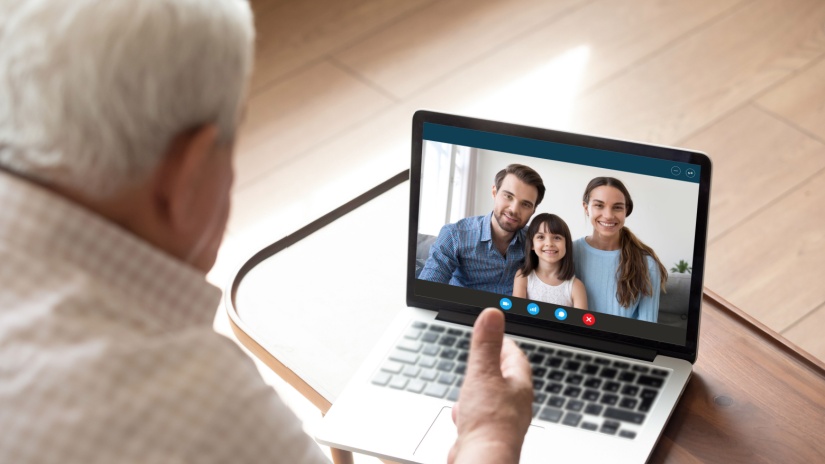
Video calling has become one of the easiest ways for older Australians to stay connected with family and friends. Whether it’s chatting with grandchildren, attending telehealth appointments, or joining virtual social groups, online communications for seniors helps maintain important relationships and reduce isolation.
However, not all devices are equally easy to use. Some smartphones and tablets include complicated menus or small screens that make them difficult for seniors to navigate. The best video calling devices for seniors focus on simplicity, clear screens, good sound quality, and easy setup.
Let’s explore the best digital communication device for seniors, what features to look for, and the easiest ways to start video calling.
Why Video Calling Is Important for Seniors
For many seniors, staying socially connected plays a vital role in maintaining mental and emotional wellbeing. While phone calls are helpful, Video Chat adds an extra level of connection by allowing people to see facial expressions, share moments, and feel more present during conversations.
Video calls are also increasingly used for practical purposes. Many healthcare providers now offer telehealth appointments, and family members often use online calls to check in regularly with older relatives.
With the right device and Internet connection, over 60s can easily stay connected from the comfort of home.
Video Calling Devices for Seniors: Features to Look for
When choosing the best device for digital communication for Older Australians, certain features can make a big difference in usability and comfort.
Large Screen and Clear Display
A large screen makes it easier for seniors to see the person they are speaking with and navigate the device. Tablets and smart displays are particularly popular because they provide bigger screens than most smartphones, improving visibility during calls.
Simple Setup and Easy Interface
Devices designed for seniors often feature simplified menus and large icons, allowing users to quickly start a video call without navigating complex settings.
Some devices even allow one-touch online calling, which makes contacting family members extremely simple.
Good Camera and Audio Quality
Clear audio and video quality are essential for comfortable conversations. Look for devices with high-quality front-facing cameras and loud speakers so calls remain clear even in busy or noisy environments.
Reliable Internet Connection
Online chats require a stable Internet connection. In most cases, an nbn® 25 or nbn® 50 plan is more than enough for smooth video calls, even if multiple devices are connected in the home.
Best Video Calling Devices for Seniors
There are several device types that work particularly well for seniors, depending on comfort with technology and personal preferences.
Tablets
Tablets are often considered the best tablet for seniors to video call because they combine a large screen with simple controls.
Tablets are ideal because they:
- Have large, easy-to-read displays
- Support popular video calling apps
- Are lightweight and portable
- Offer simple touch-screen navigation
Many families prefer tablets because they allow seniors to easily join video calls while also browsing the web, reading news, or viewing photos.
Smartphones
Smartphones are another common option for video calling for seniors, particularly if the user already owns one. Modern smartphones allow users to make video calls, send messages, and access apps all from one device.
Many models include accessibility features such as:
- Larger text and icons
- Voice assistants
- Hearing aid compatibility
- Simplified home screen modes
Some of the best mobile phones for seniors also include high-quality cameras, making video calls clearer and more enjoyable.
Smart Displays
Smart displays are becoming increasingly popular as the best video chat device for seniors who prefer a hands-free experience.
Devices like these sit on a table or kitchen bench and allow users to start video calls using voice commands. Seniors can simply say a command like “Call John” to begin a conversation.
Smart displays are particularly useful for seniors who may find touchscreens difficult to use.
Easiest Video Calling Apps for Seniors
Even with the right device, choosing the easiest online calling app for seniors is important. Some apps are much simpler to use than others.
The most popular options include:
Zoom
Zoom became widely used during the pandemic and remains one of the easiest platforms for group calls. Many seniors use Zoom to connect with family gatherings, community groups, or online classes.
FaceTime
FaceTime is built into Apple devices and is extremely simple to use. If both people have Apple devices, FaceTime is often the easiest option for quick video calls.
Skype
Skype has been around for many years and remains a reliable option across different devices.
WhatsApp allows users to send messages and make video calls directly from their contacts list, making it convenient for many seniors.
When choosing an app, it’s best to pick one that family members already use, making it easier for everyone to stay connected.
Internet Speed Needed for Video Calling
Many seniors worry that digital communications requires a very fast Internet. In reality, most video calls work well with standard broadband speeds.
Typical requirements include:
- nbn® 25: Suitable for one or two video calls at a time
- nbn® 50: Ideal for households with multiple devices
- nbn® 100: Useful if several people stream or video call simultaneously
Choosing a plan with reliable speeds and unlimited data ensures video calls remain smooth without worrying about data limits.
Tips for Helping Seniors Start Video Calling
For seniors who are new to online calling, a few simple steps can make the process much easier.
Start by setting up the device and installing the preferred app for your one-to-one calls with family and friends. It can also help to add key contacts directly to the home screen so they can be called with one tap.
Practicing a few calls together helps build confidence, and once senior citizens become familiar with the process, video calls quickly become a normal part of everyday communication.
Family members should also ensure the device is connected to a stable home Internet connection, which prevents call interruptions.
Staying Connected Through Online Calls
Technology has made it easier than ever for senior citizens to stay connected with loved ones. With the right device and Internet plan, video calls can become a simple and enjoyable way to maintain relationships.
Whether it’s a tablet with a large screen, a smartphone with accessibility features, or a smart display with voice control, there are plenty of devices designed to make video calling easy for seniors.
Need Help Finding the Right Internet Plan?
Facetime and video chat work best with a reliable Internet connection. At Compare Broadband, we help Australians compare nbn® plans, mobile plans, and devices to find the best options for their needs.
If you’re looking for a broadband plan that supports smooth video calling, contact Compare Broadband on 1300 764 000 for expert advice and easy comparisons.
 Loading...